
Install for Your Browser
Available on all major browsers. Install for free and instantly transform web content into visual, intelligently organized mind maps with AI.

Chrome

Edge

Firefox

Safari
Powerful Features for Modern Productivity
Discover what makes MindSnap the perfect tool for converting web content into visual knowledge.
AI-Powered
Leverage advanced AI to automatically analyze and structure content into a meaningful mind map with smart connections and insights.
Seamless Browser Integration
Works directly in your browser with a simple right-click. No need for copy-pasting or switching between applications.
Instant Mind Map Creation
Transform any webpage into a structured mind map in seconds. Perfect for research, learning, and content organization.
Privacy-First Design
Your data is secure and private. Process content locally or via your chosen AI provider with full control.
Free Forever
Core features are completely free with no hidden costs. Start creating mind maps instantly without an account.
Multiple AI Providers
Choose from OpenAI, Claude, or Gemini. Switch between AI models at any time to find the perfect fit for your needs.
Easy to Use, Flexible to Display
Just right-click to create a mind map. You can let the AI automatically detect content, or select it manually for more detailed control. The result will be displayed directly on the page, in a side panel, or on a new page.
Add MindSnap from the Chrome Web Store (or Firefox/Edge/Safari).
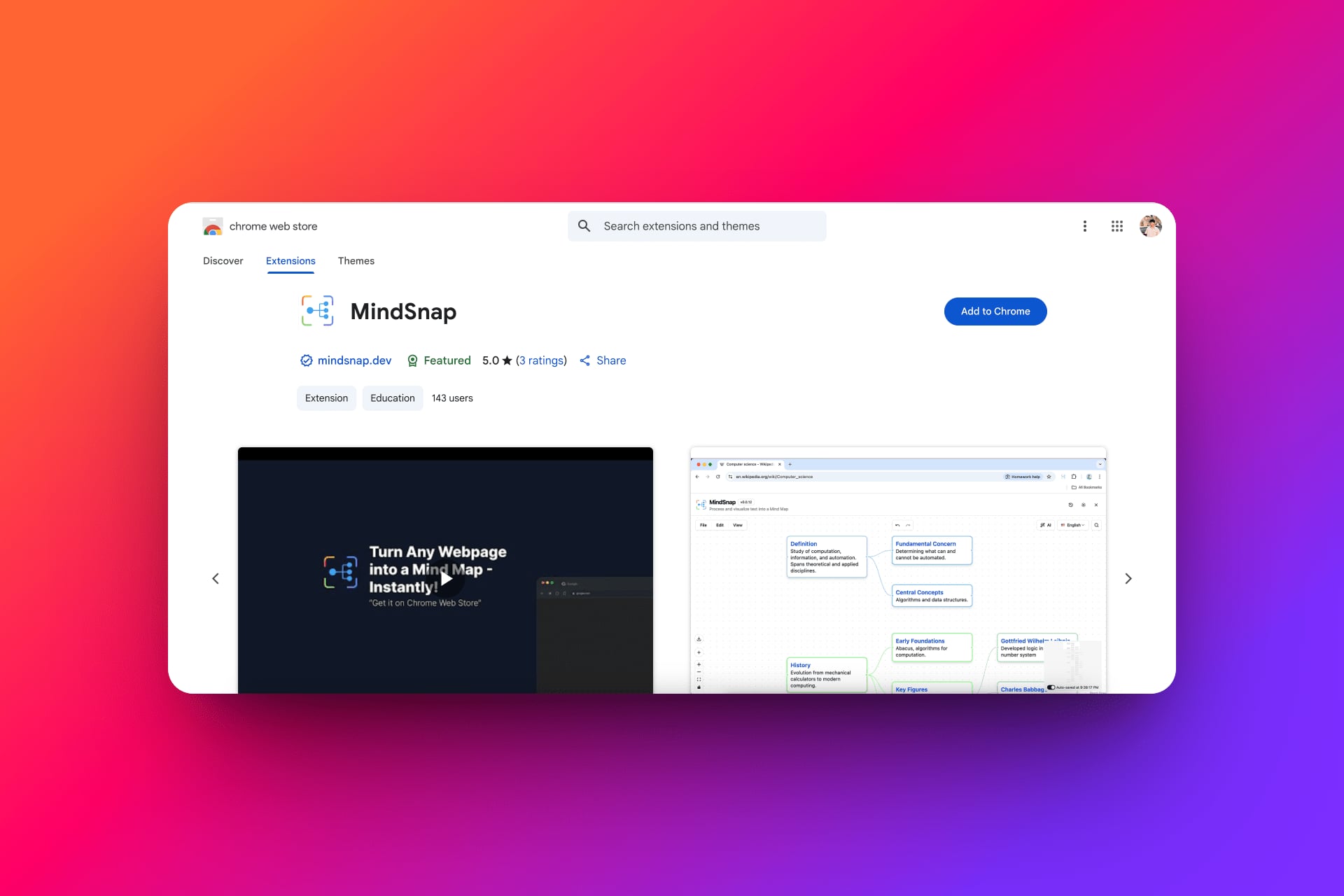
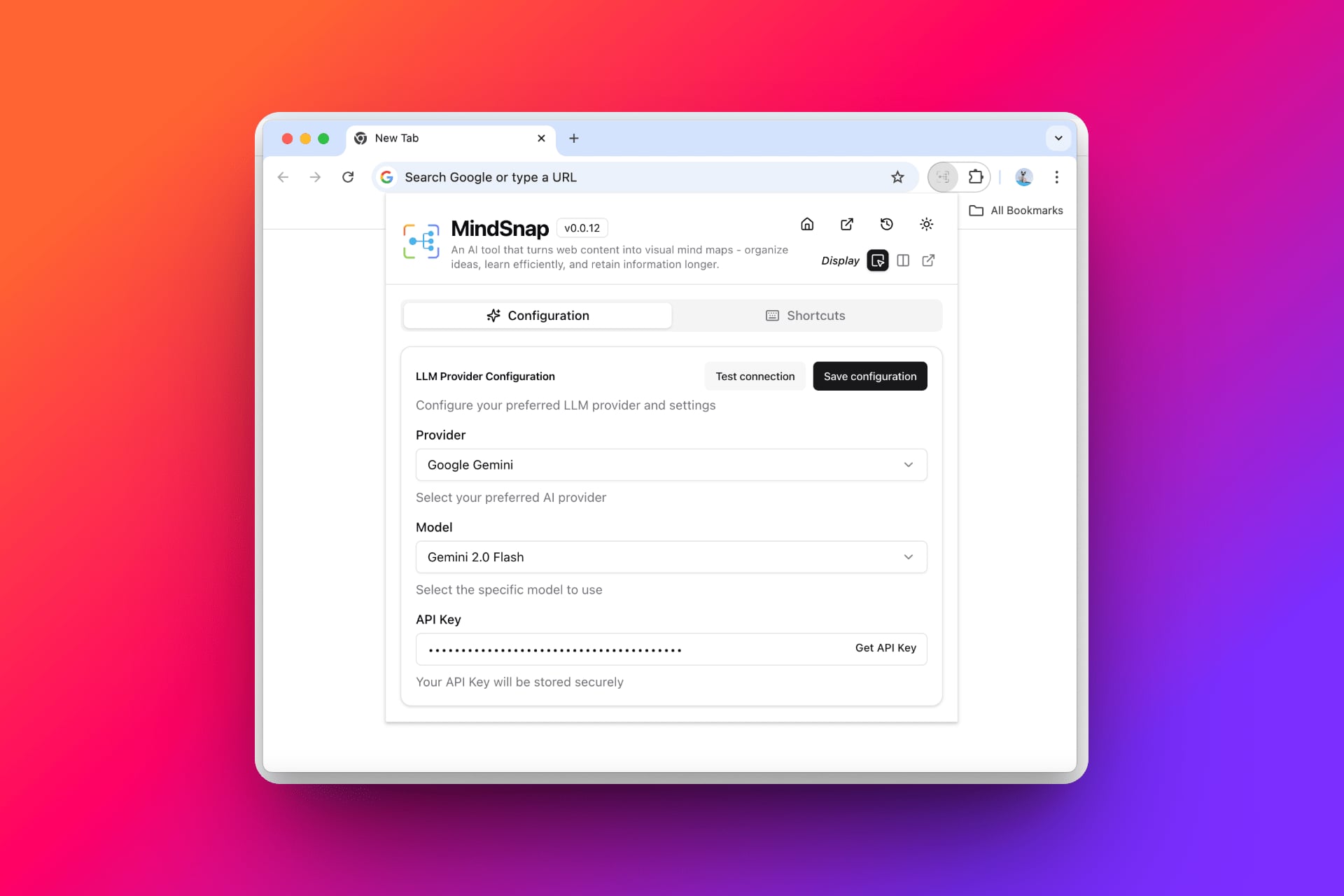
Choose your AI provider and default display mode: on-page, side panel, or new page.
Visit any webpage → right-click → select MindSnap.
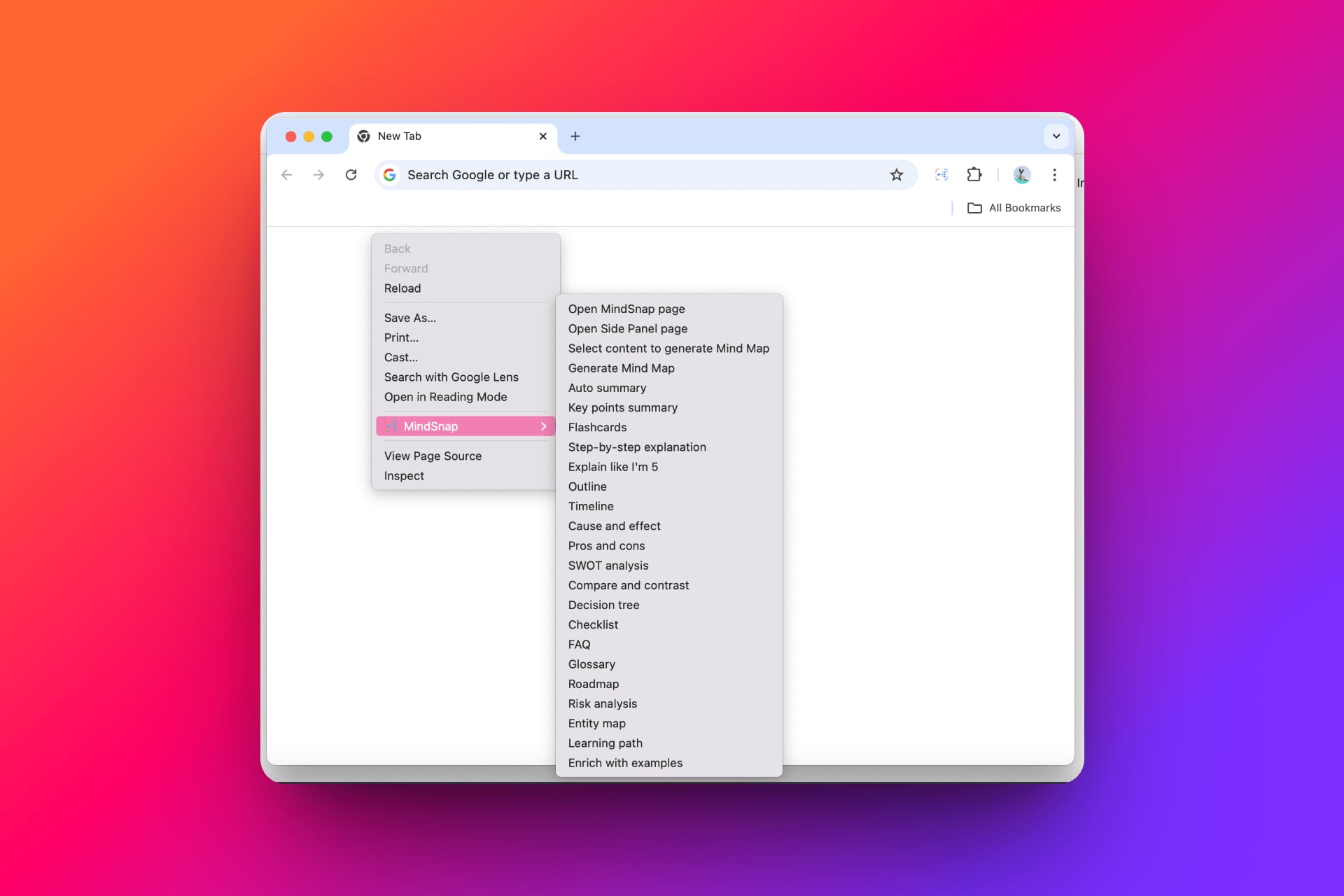
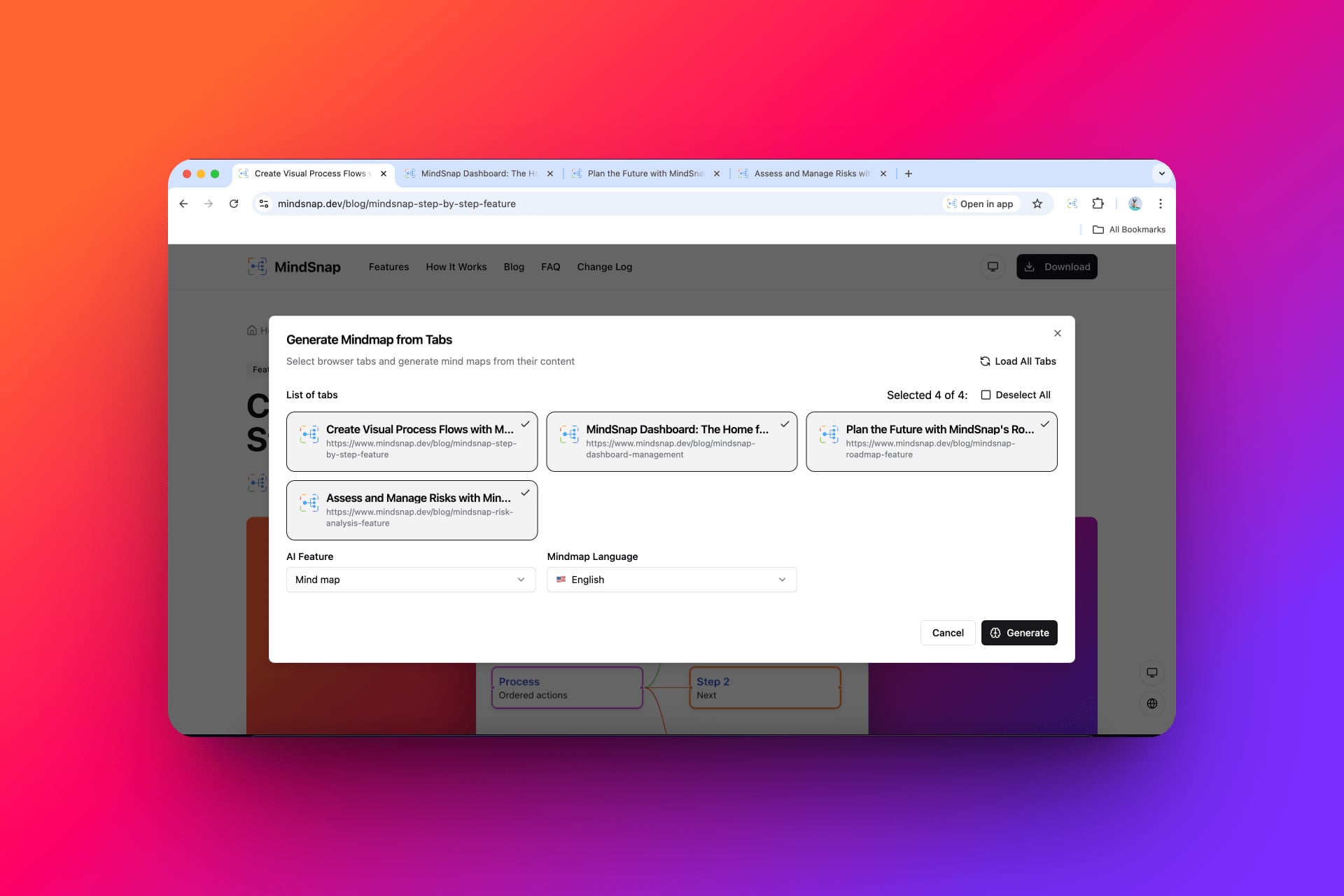
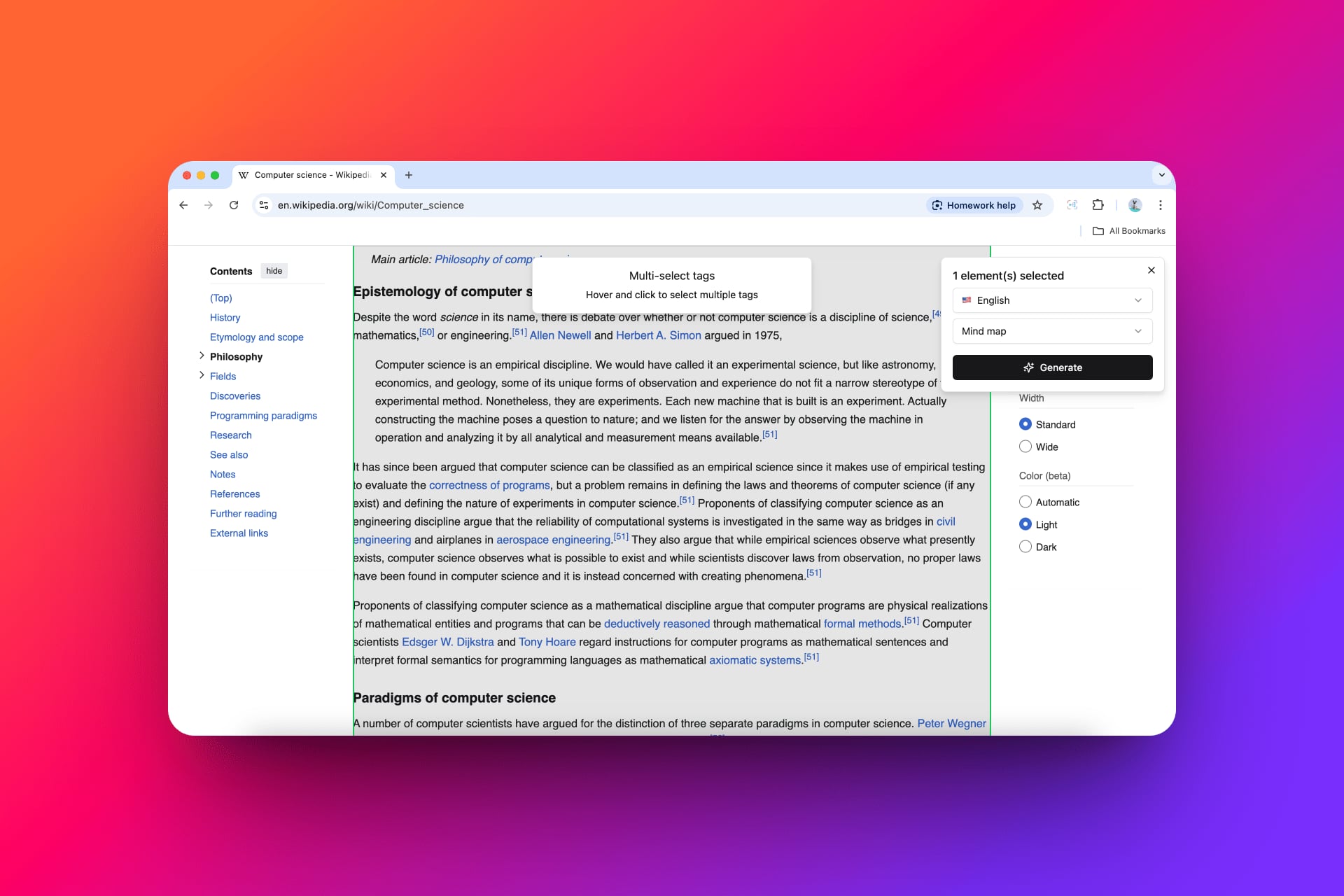
• Automatic: AI analyzes the entire content and creates a mind map. • Manual: Select text, language, and mind map type with the 'Select content to create Mind Map' option. • Create from tabs: Select browser tabs and create a mind map from all open content at once.
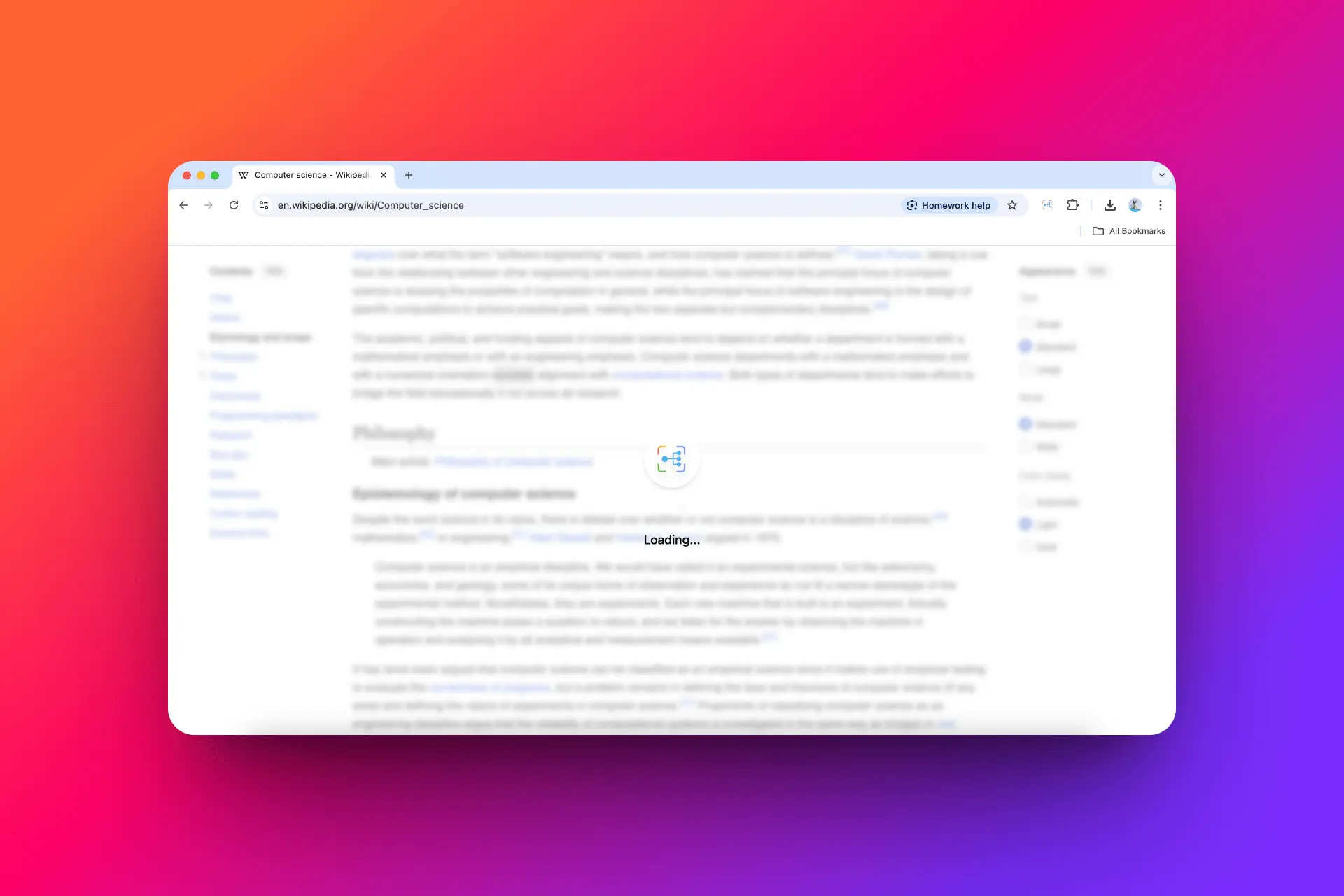
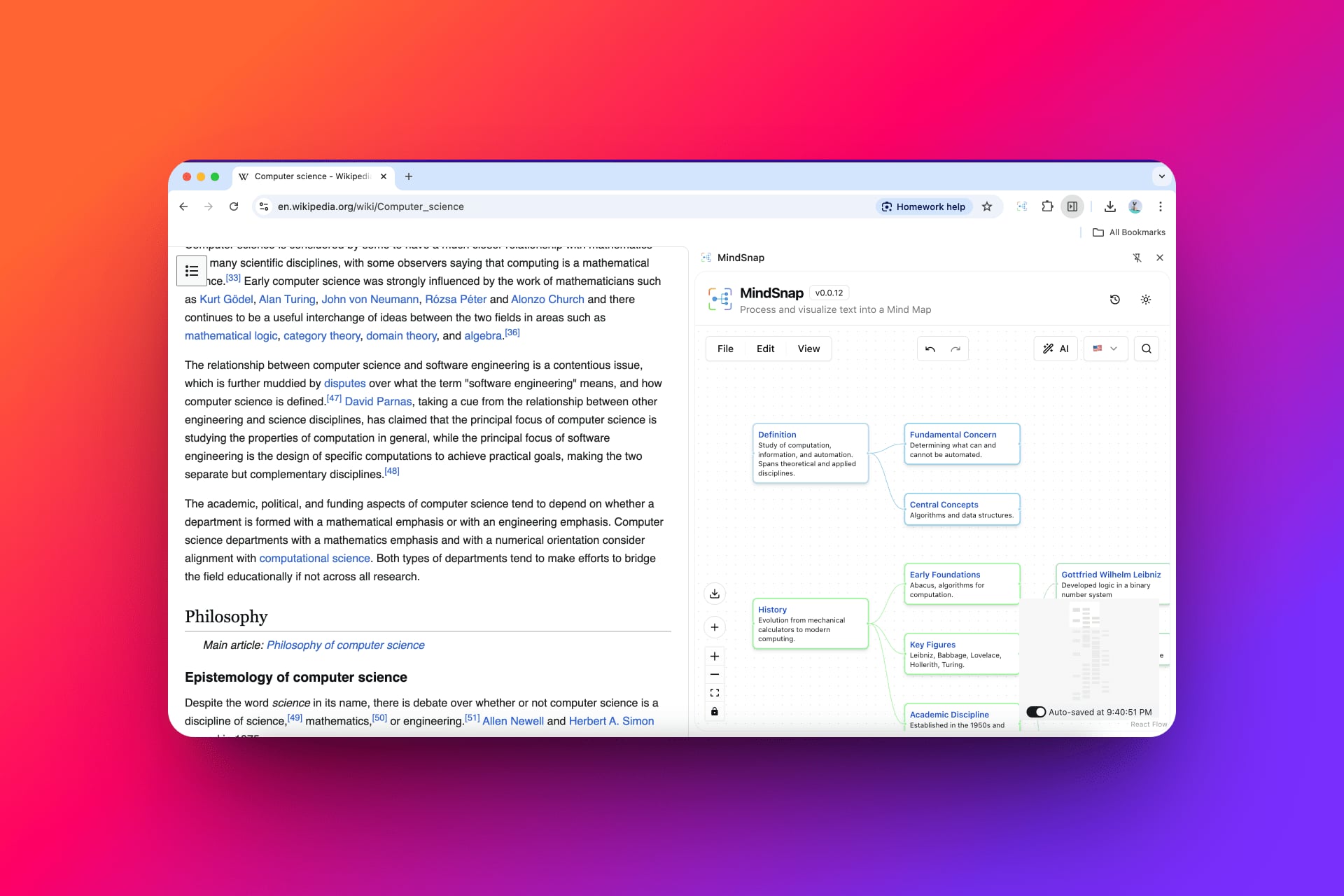
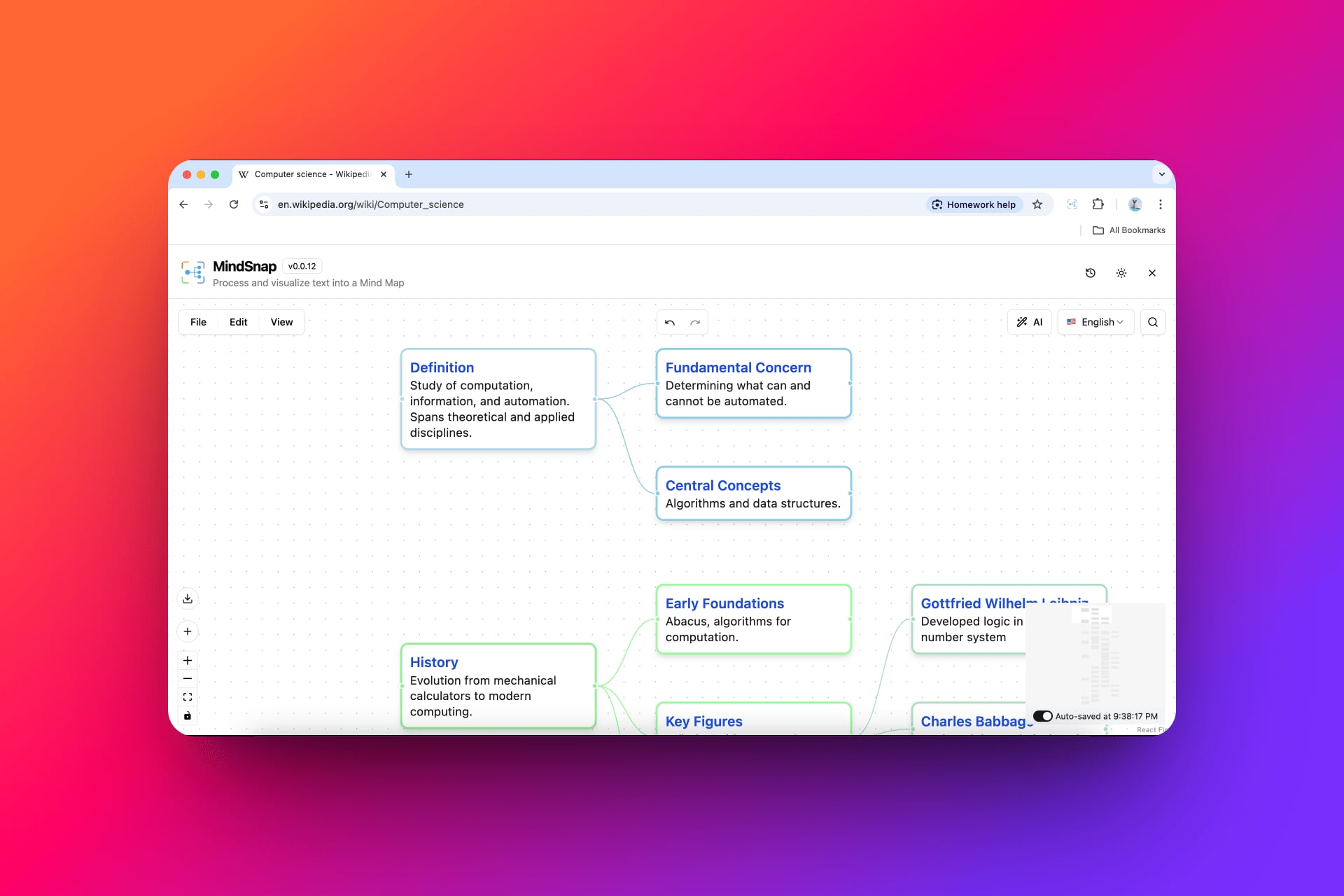
The mind map is processed by AI and displayed immediately according to your chosen display mode. Edit, customize, saved, export images, and many other interactions.
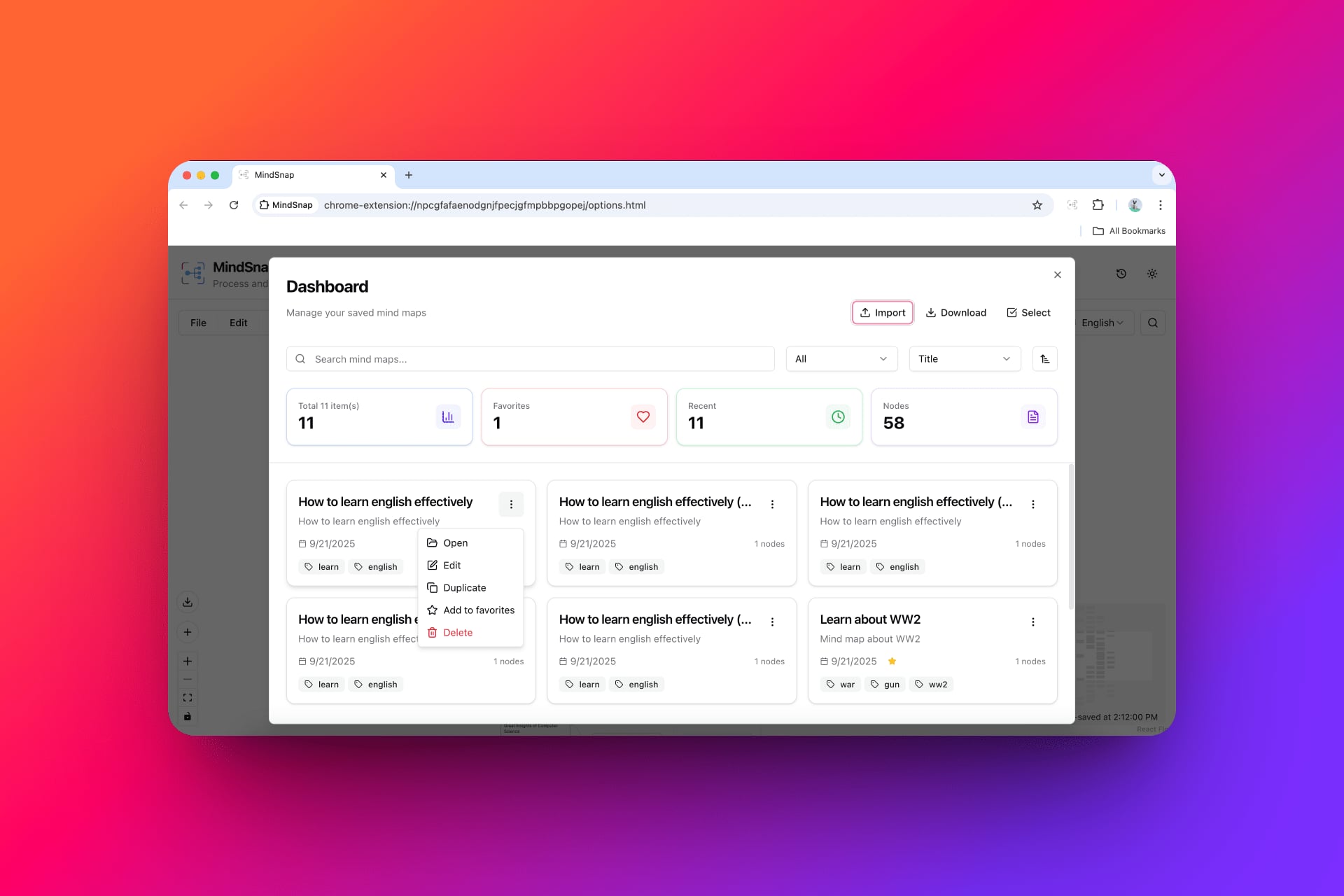
Create Mind Maps with AI
Turn any webpage into an AI mind map with a single click — visualize, summarize, and retain knowledge more effectively.
Subscription Plans
Choose the plan that's right for you, or simply install for free.
- Unlimited mind maps, flashcards, timelines, etc.
- AI-powered mind map creation
- 20+ AI features (summaries, flashcards, etc.)
- Multi-format export (PNG, SVG, JSON, XML)
- 12+ language support
- Dark/Light themes
- Auto-save progress
- Store and manage mind maps
- Customize mind map settings
- All features in Free plan
- AI conversational suggestions
- Custom context
- Create personalized Prompt
- Presentation mode, help you easily present
- Data synchronization between extension, web and mobile app (planning)
Frequently Asked Questions
Find quick answers to common questions about MindSnap: the browser extension, AI mind maps, and how to use it effectively for information organization.
Need more info? Contact us at
contact.mindsnap@gmail.comRecent Updates
A quick overview of the latest improvements. Visit our blog for the detailed changelog.

v1.0.13
Feature UpdateCorner Loading, Side Panel Routing & Clearer Setup
On-page generate shows a compact corner loader that expands into your mind map. Open side panel gets generation automatically. Personal API key required, softer error toasts, analytics opt-out, and an uninstall feedback survey.
v1.0.12
Major UpdateWXT Migration, Richer Editing & Stability
Migrated from Plasmo to WXT for a smaller, more stable extension. Richer node editing with links and lists, storage controls, and improved analytics with an opt-out in Settings.
v1.0.11
Feature UpdateCustom cURL Import for AI Providers
Import API configs from cURL commands—auto-map endpoint, headers, body, API key, and model into custom provider settings in one step.
v1.0.10
Feature UpdateGemini 3.0 Migration & API Onboarding
Migrated to Gemini 3.0 with real-time API key verification, smart model mapping, and clearer local-only privacy notices for your keys.
v1.0.9
UpdateOnboarding Guide Update
Updated onboarding to introduce the custom prompt feature so new users discover personalized AI workflows sooner.
v1.0.8
UpdateCustom Prompt CRUD & AI Builder
Full CRUD operations for custom prompts. Create prompts with AI assistance—describe your idea and let AI refine it into a structured prompt you can use immediately.
v1.0.7
UpdateQuick Generate Close Button
Added close button for icon quick generate feature, allowing you to quickly dismiss the quick generate interface.
v1.0.6
Feature UpdateEnhanced Mind Map Generation & Bug Fixes
Larger mind maps powered by provider token defaults and a fix for the tab-based mind map modal not closing
v1.0.13
Feature UpdateCorner Loading, Side Panel Routing & Clearer Setup
On-page generate shows a compact corner loader that expands into your mind map. Open side panel gets generation automatically. Personal API key required, softer error toasts, analytics opt-out, and an uninstall feedback survey.
v1.0.12
Major UpdateWXT Migration, Richer Editing & Stability
Migrated from Plasmo to WXT for a smaller, more stable extension. Richer node editing with links and lists, storage controls, and improved analytics with an opt-out in Settings.
v1.0.11
Feature UpdateCustom cURL Import for AI Providers
Import API configs from cURL commands—auto-map endpoint, headers, body, API key, and model into custom provider settings in one step.
v1.0.10
Feature UpdateGemini 3.0 Migration & API Onboarding
Migrated to Gemini 3.0 with real-time API key verification, smart model mapping, and clearer local-only privacy notices for your keys.
v1.0.9
UpdateOnboarding Guide Update
Updated onboarding to introduce the custom prompt feature so new users discover personalized AI workflows sooner.
v1.0.8
UpdateCustom Prompt CRUD & AI Builder
Full CRUD operations for custom prompts. Create prompts with AI assistance—describe your idea and let AI refine it into a structured prompt you can use immediately.
v1.0.7
UpdateQuick Generate Close Button
Added close button for icon quick generate feature, allowing you to quickly dismiss the quick generate interface.
v1.0.6
Feature UpdateEnhanced Mind Map Generation & Bug Fixes
Larger mind maps powered by provider token defaults and a fix for the tab-based mind map modal not closing
v1.0.13
Feature UpdateCorner Loading, Side Panel Routing & Clearer Setup
On-page generate shows a compact corner loader that expands into your mind map. Open side panel gets generation automatically. Personal API key required, softer error toasts, analytics opt-out, and an uninstall feedback survey.
v1.0.12
Major UpdateWXT Migration, Richer Editing & Stability
Migrated from Plasmo to WXT for a smaller, more stable extension. Richer node editing with links and lists, storage controls, and improved analytics with an opt-out in Settings.
v1.0.11
Feature UpdateCustom cURL Import for AI Providers
Import API configs from cURL commands—auto-map endpoint, headers, body, API key, and model into custom provider settings in one step.
v1.0.10
Feature UpdateGemini 3.0 Migration & API Onboarding
Migrated to Gemini 3.0 with real-time API key verification, smart model mapping, and clearer local-only privacy notices for your keys.
v1.0.9
UpdateOnboarding Guide Update
Updated onboarding to introduce the custom prompt feature so new users discover personalized AI workflows sooner.
v1.0.8
UpdateCustom Prompt CRUD & AI Builder
Full CRUD operations for custom prompts. Create prompts with AI assistance—describe your idea and let AI refine it into a structured prompt you can use immediately.
v1.0.7
UpdateQuick Generate Close Button
Added close button for icon quick generate feature, allowing you to quickly dismiss the quick generate interface.
v1.0.6
Feature UpdateEnhanced Mind Map Generation & Bug Fixes
Larger mind maps powered by provider token defaults and a fix for the tab-based mind map modal not closing
v1.0.13
Feature UpdateCorner Loading, Side Panel Routing & Clearer Setup
On-page generate shows a compact corner loader that expands into your mind map. Open side panel gets generation automatically. Personal API key required, softer error toasts, analytics opt-out, and an uninstall feedback survey.
v1.0.12
Major UpdateWXT Migration, Richer Editing & Stability
Migrated from Plasmo to WXT for a smaller, more stable extension. Richer node editing with links and lists, storage controls, and improved analytics with an opt-out in Settings.
v1.0.11
Feature UpdateCustom cURL Import for AI Providers
Import API configs from cURL commands—auto-map endpoint, headers, body, API key, and model into custom provider settings in one step.
v1.0.10
Feature UpdateGemini 3.0 Migration & API Onboarding
Migrated to Gemini 3.0 with real-time API key verification, smart model mapping, and clearer local-only privacy notices for your keys.
v1.0.9
UpdateOnboarding Guide Update
Updated onboarding to introduce the custom prompt feature so new users discover personalized AI workflows sooner.
v1.0.8
UpdateCustom Prompt CRUD & AI Builder
Full CRUD operations for custom prompts. Create prompts with AI assistance—describe your idea and let AI refine it into a structured prompt you can use immediately.
v1.0.7
UpdateQuick Generate Close Button
Added close button for icon quick generate feature, allowing you to quickly dismiss the quick generate interface.
v1.0.6
Feature UpdateEnhanced Mind Map Generation & Bug Fixes
Larger mind maps powered by provider token defaults and a fix for the tab-based mind map modal not closing